How we picked the best AI video generators
We ranked tools for a busy professional deciding where to spend money—not for demo-reel hype.
- Pricing truth (captured 2026-10-22): plan names, monthly/annual rates, credit or minute caps, free tiers, and rollover notes from each vendor pricing page.
- User reality: aggregated praise, complaints, best-for and not-for patterns from review and forum sources linked in our sentiment proofs—not star averages alone.
- Job fit over feature lists: avatar/training workflows, short cinematic generation, and script-to-social repurposing scored as separate jobs because one tool rarely wins all three.
- Cost of failure: failed generations that still burn credits, queues, billing/cancellation friction, and support quality weighed as heavily as peak clip quality.
- Full method: /how-we-test. We do not invent benchmarks we did not capture.
Quick comparison: best AI video generator options
Use this table to shortlist by job and budget, then read the product notes for credit traps and who should not buy. Prices reflect our 2026-10-22 snapshots (Synthesia and InVideo list in EUR). Pictory had no pricing snapshot in this pass—verify current plans on-site before you commit.
Side-by-side comparison
| Product | Best for | Starting price | Free plan | Key limit | Our score |
|---|---|---|---|---|---|
| Synthesia | Business avatars & training | €0 Basic; €19/mo Starter | Yes — Basic | ~10 min/mo free; yearly credit caps on paid | 8.4 |
| HeyGen | Personal avatars & localization | $0 Free; $29/mo Creator | Yes — 3 videos/mo | Credits; premium avatars burn fast | 7.8 |
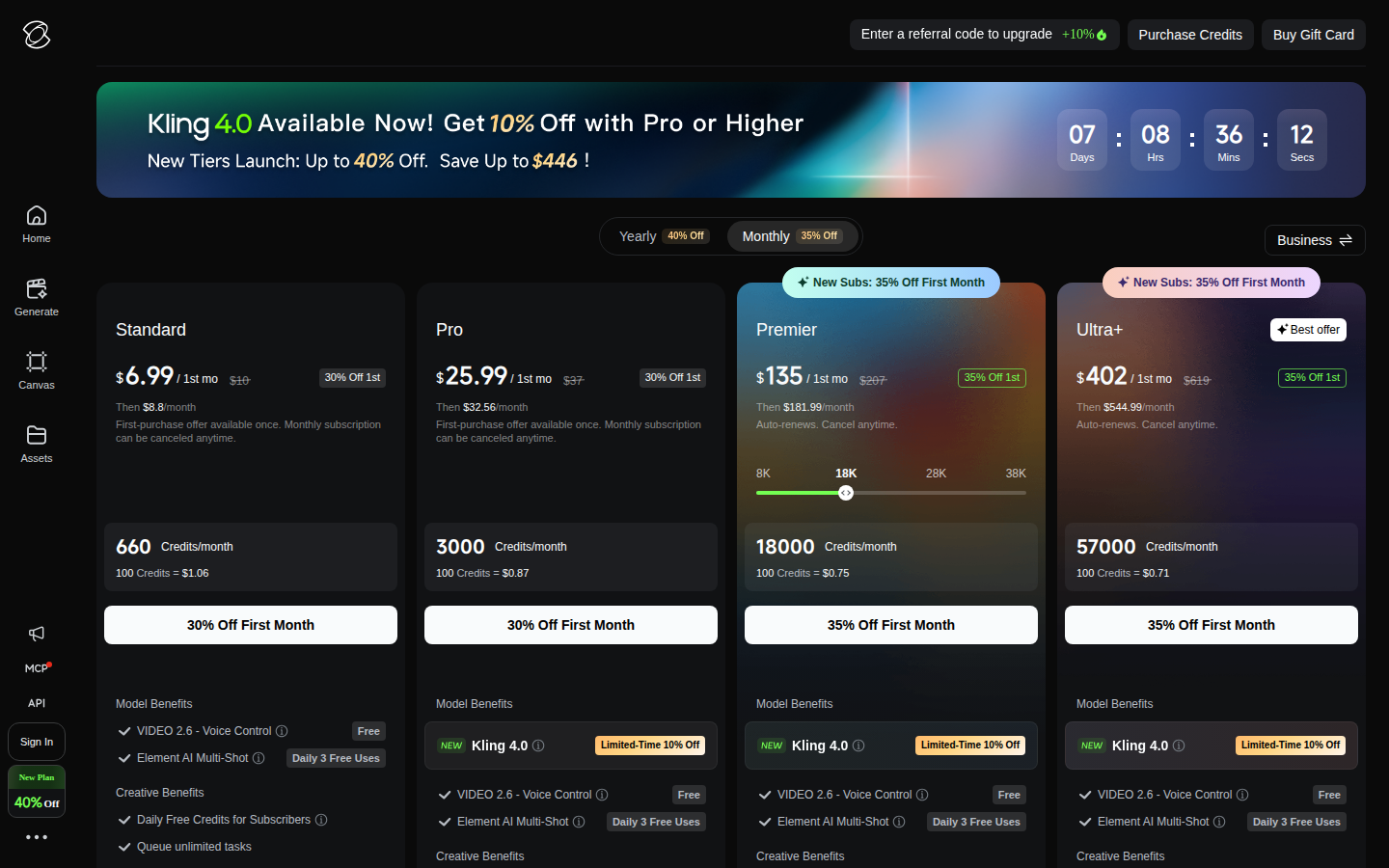
| Kling AI | Realistic short motion | $0 Basic; $10/mo Standard | Yes — limited | 660 credits on Standard; no rollover theme | 7.4 |
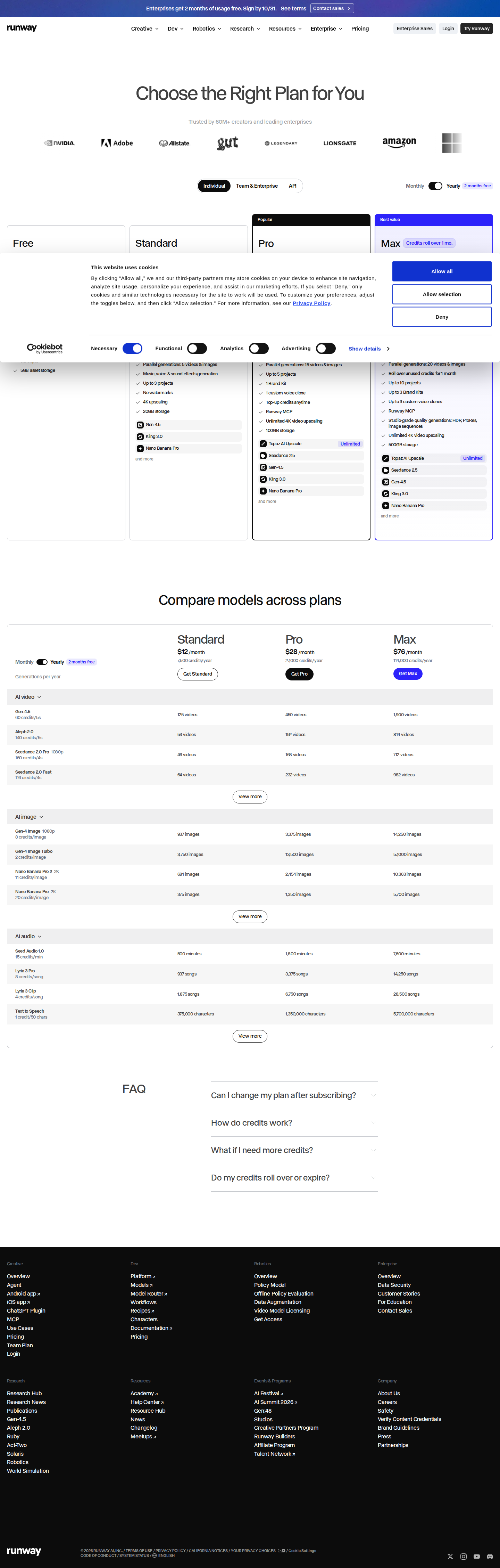
| Runway | Cinematic craft & controls | $0 Free; $15/mo Standard | Yes — 125 one-time credits | 625 credits/mo Standard; fast burn | 7.2 |
| Pictory | Blog/script repurposing | Verify on site | Verify on site | Minutes/credits reset; stock cleanup time | 7.6 |
| Luma AI | Peak short photoreal clips | $30/mo Plus | No (in our snapshot) | 10k credits Plus; agent/retry burn | 7.0 |
| InVideo | Faceless social drafts | €20/mo Starter (€10 annual) | No (in our snapshot) | 400 credits/mo Starter; no rollover | 6.8 |
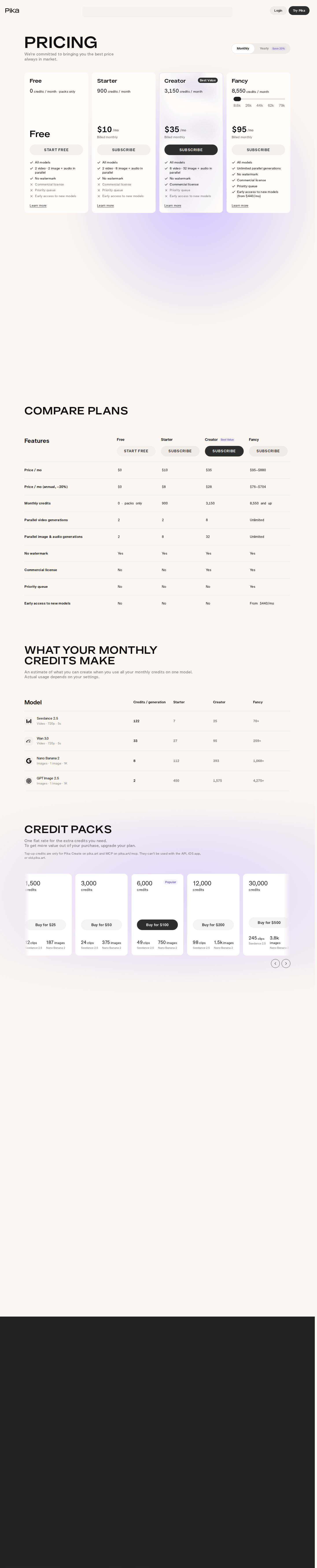
| Pika | Stylized social effects | $0 Free; $10/mo Starter | Yes — 0 monthly credits | 900 credits Starter; commercial from Creator | 6.9 |
Synthesia — best AI video generator for business training
Best for: mid-to-large L&D, HR, sales enablement, and teams that need presenter videos updated by editing a script.
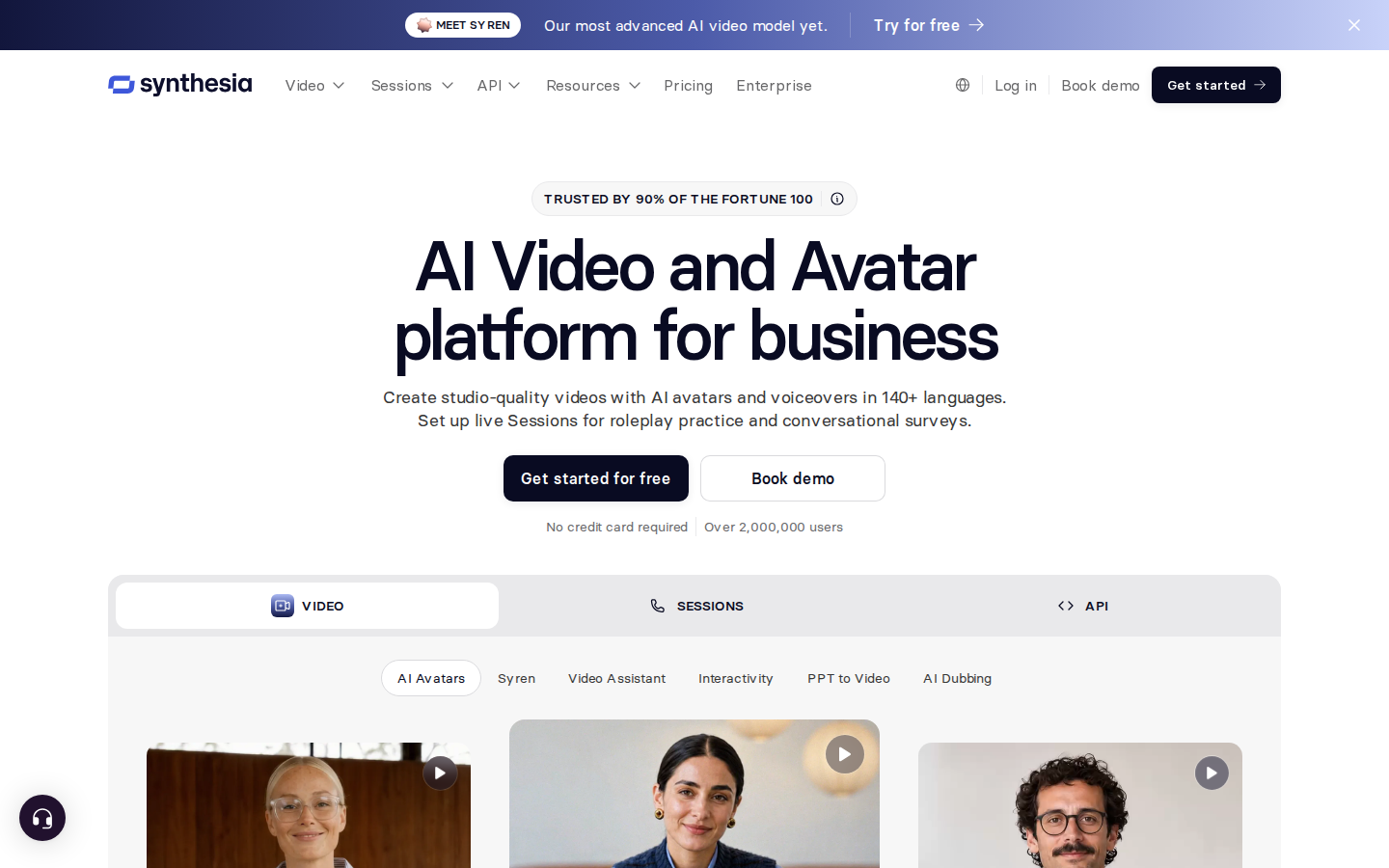
Synthesia is an AI video platform built around studio-style avatars and voiceovers rather than open-world cinematic generation. User sentiment is the strongest in this set for corporate jobs: non-technical editors describe a PowerPoint-like flow, templates, brand kits, and large time cuts on recurring training and localization. Praise clusters around lip-sync/gesture improvements and one-click translation across a very large language set, plus enterprise extras (collaboration, SCORM/LMS export, SOC 2) called out by mid-market and large teams.
What stood out in our evidence: free Basic at €0 with 500 credits/month, ~10 minutes of video/month, watermark, and 1 editor. Starter is €19/mo (€12/mo annual) with 15,000 credits/year and no watermark; Pro is €79/mo (€49/mo annual) with higher credits, more avatars, and personal avatars. Yearly billing is framed as saving up to four months.
Main trade-off: starter/pro caps and credit complexity frustrate low or spiky volume; avatars can still read stiff or uncanny on long or emotional pieces; moderation is strict and sometimes blocks legitimate business topics; billing/refund friction appears in lower-tier complaints.
Plan most readers need: Starter if you are validating workflow; Pro when personal avatars and higher annual minutes matter. Enterprise only when SSO/CSM and custom credits are required.
Not for: solo social creators, cinematic storytellers, or tight-budget users who will burn caps on previews then hit refund walls.
HeyGen — best for personal avatars and multilingual demos
Best for: marketers, educators, and small teams turning a script or photo into short avatar explainers, product demos, and localized clips without a camera crew.
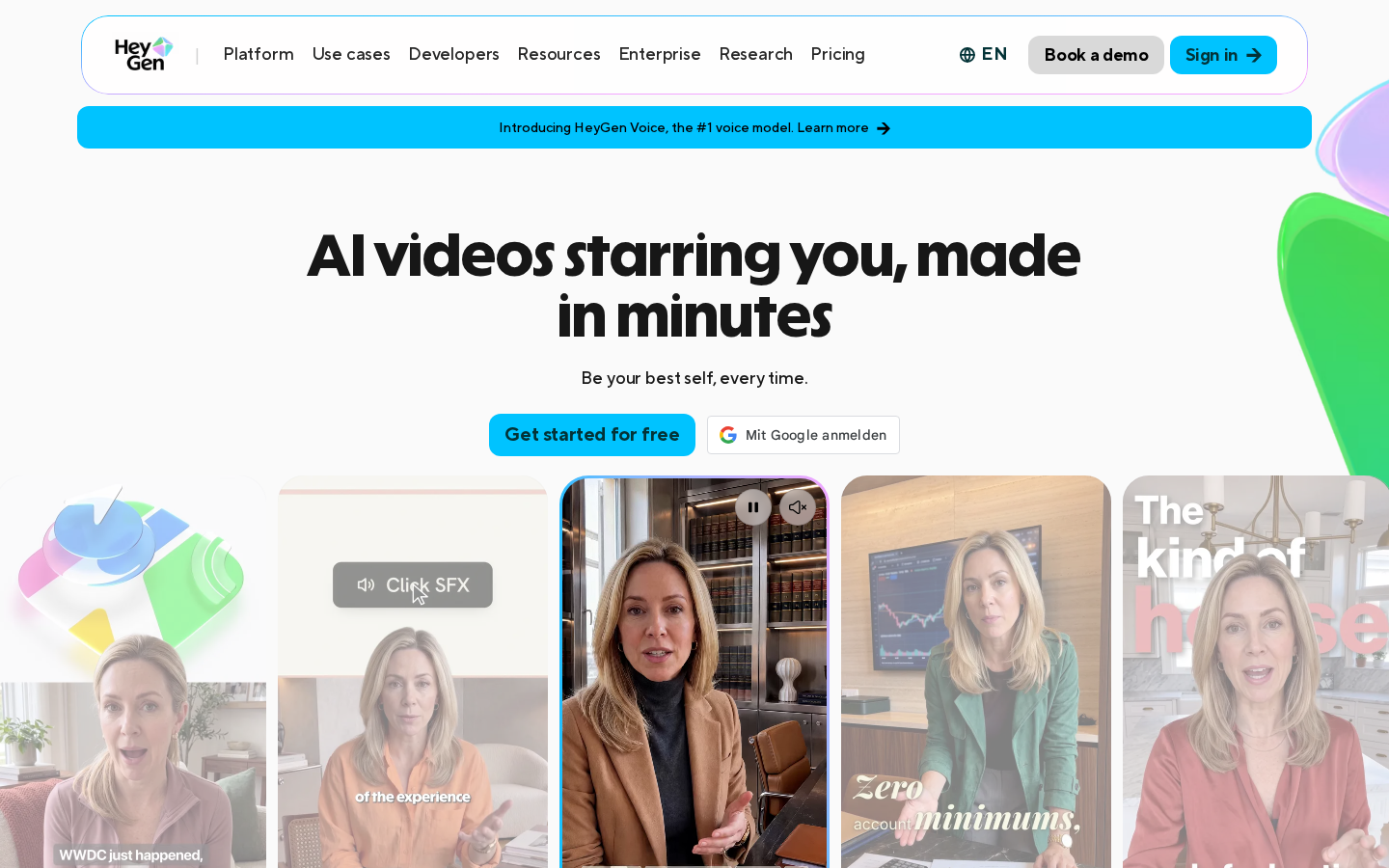
HeyGen focuses on avatar video, translation/dubbing, and voice cloning. Sentiment is mixed but practical: users like the low skill barrier, newer avatar generations, reusable characters, and 175+ language workflows. Speed from script to draft is the core win for corporate and education clips when paired with careful credit watching.
Pricing we captured: Free — 3 watermarked videos/month, up to 1 minute each, 1 seat. Creator — $29/mo ($24/mo annual) with 600 credits, 1080p, clips up to 30 minutes. Pro — $49/mo with 1000 credits and 4K. Business is noted around $149/mo plus per-seat fees in FAQ notes; Enterprise is sales-led.
Main trade-off: credits and plan changes feel opaque to many reviewers—premium avatars reported as heavy credit sinks, failed or hung renders still costing credits, lip-sync and body motion degrading on longer videos, and support often slow on billing/refunds. Free/lower tiers are tight and watermarked.
Plan most readers need: Creator for serious trial of non-watermarked short explainers; Pro only if 4K and higher credits are proven necessary after a controlled pilot.
Not for: daily high-volume UGC pipelines, users expecting true unlimited output, or anyone unwilling to meter credits and babysit failed jobs.
Kling AI — best video AI generator for realistic motion
Best for: short-form specialists and experienced prompters who want strong human motion, cloth/hair physics, and cinematic image-to-video when a generation lands.
Kling is a text-to-video and image-to-video platform with consumer memberships and API paths. Sentiment highlights top-tier motion and camera feel on successful clips, improving prompt behavior and longer shorts on newer model lines, and useful daily free credits for tests. Some creators call good outputs ready for ads, B-roll, or prototypes.
Pricing snapshot: Basic free with 0 monthly credits (limited element creation). Standard $10/mo ($8.80/mo annual) and 660 credits/mo. Pro $37/mo ($32.56/mo annual) and 3000 credits. Premier and Ultra+ scale to 18k and 57k credits at $207 and $619 monthly list rates, with better credit economics at higher tiers. Notes include first-purchase discounts and yearly savings framing.
Main trade-off: credits vanish on higher modes, audio, length, and retries; failed results often still bill; monthly expiry with no rollover; quality described as slot-machine inconsistent; billing auto-renew surprises and near-absent support show up repeatedly.
Plan most readers need: Standard only for light experiments; Pro if you already know prompt cost-per-usable-clip. Treat Premier+ as volume bets, not bargains.
Not for: teams needing dependable multi-character continuity, low censorship, or predictable cost without retries.
Runway — best AI video generator for craft-oriented shorts
Best for: filmmakers, VFX/animation-leaning creatives, and directors prototyping cinematic b-roll and concepts with controls—not one-click marketers.
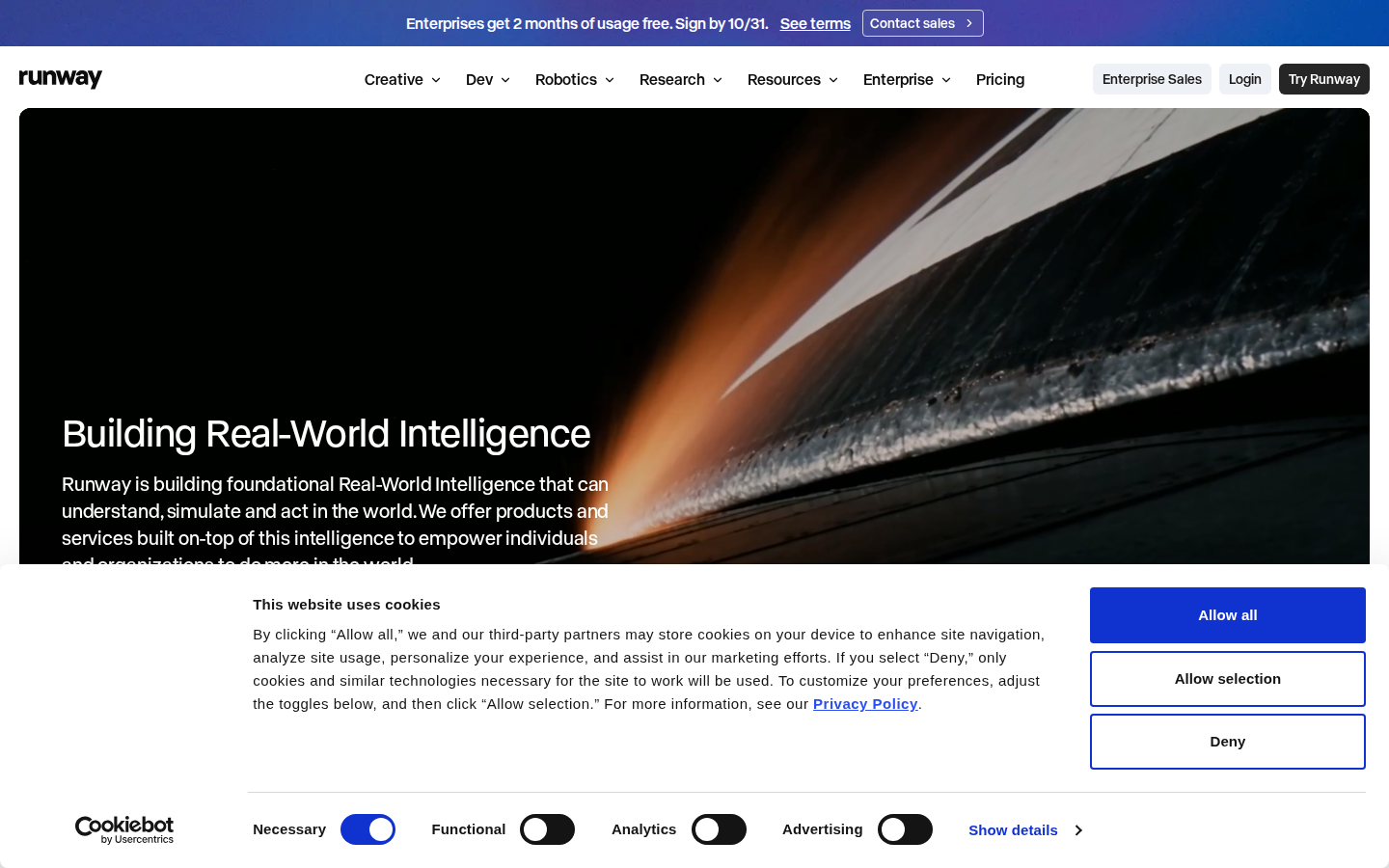
Runway is a generative video and creative suite. Praise focuses on motion, camera control, image-to-video and motion tools, prompt-based edits, and multi-model timelines when generations work. Experienced users report real ideation speed once prompting is mastered.
Pricing snapshot: Free — 125 one-time credits, 5GB storage. Standard $15/mo ($12/mo annual) — 625 credits/mo, up to 3 projects, 20GB, no watermarks. Pro $35/mo ($28/mo annual) — 2250 credits, 5 projects, brand kit and voice clone. Max $95/mo ($76/mo annual) — 9500 credits with limited rollover, more projects and storage. Enterprise is custom; notes mention time-limited enterprise promos and 1000-credit minimum top-ups.
Main trade-off: credits burn fast (including failed gens); “unlimited-style” modes often mean queues/limits; output consistency and character permanence disappoint; account flags/suspensions and weak human support appear in complaints; beginners waste allotments on defaults.
Plan most readers need: Standard to learn real cost-per-clip; Pro if you iterate daily and need brand kit/voice tools. Max only after measuring burn.
Not for: casual users, fixed-budget social volume, or anyone needing strict multi-shot character lock without heavy external finishing.
Luma AI — peak cinematic shots with expensive iteration
Best for: indie filmmakers and concept artists who prioritize photoreal motion, camera path quality, and reference-driven shorts, then finish elsewhere.
Luma’s video stack (including Ray-oriented controls called out in user reports) earns praise for lighting, depth, physics, keyframes, modify/extend, and agent-assisted variant work. Strong first results show up for establishing shots and product concepts when jobs complete cleanly.
Pricing snapshot: no free plan in our capture. Plus $30/mo — 10,000 credits, commercial use, collaborator edit access. Pro $90/mo — 40,000 credits and higher agent usage. Ultra $300/mo — 150,000 credits. Team/Enterprise are sales-led. Yearly savings up to 20% noted.
Main trade-off: opaque, fast credit burn (failed gens, agent chat, high-res settings); inconsistent artifacts on complex scenes; slow support and refund resistance; queues and stuck jobs. Value feels unpredictable versus peers if you need quantity.
Plan most readers need: Plus only as a controlled quality probe with a hard stop when credits die; Pro/Ultra solely if measured usable-clip cost justifies it.
Not for: tight budgets, high-volume publishers, or long multi-scene dialogue projects.
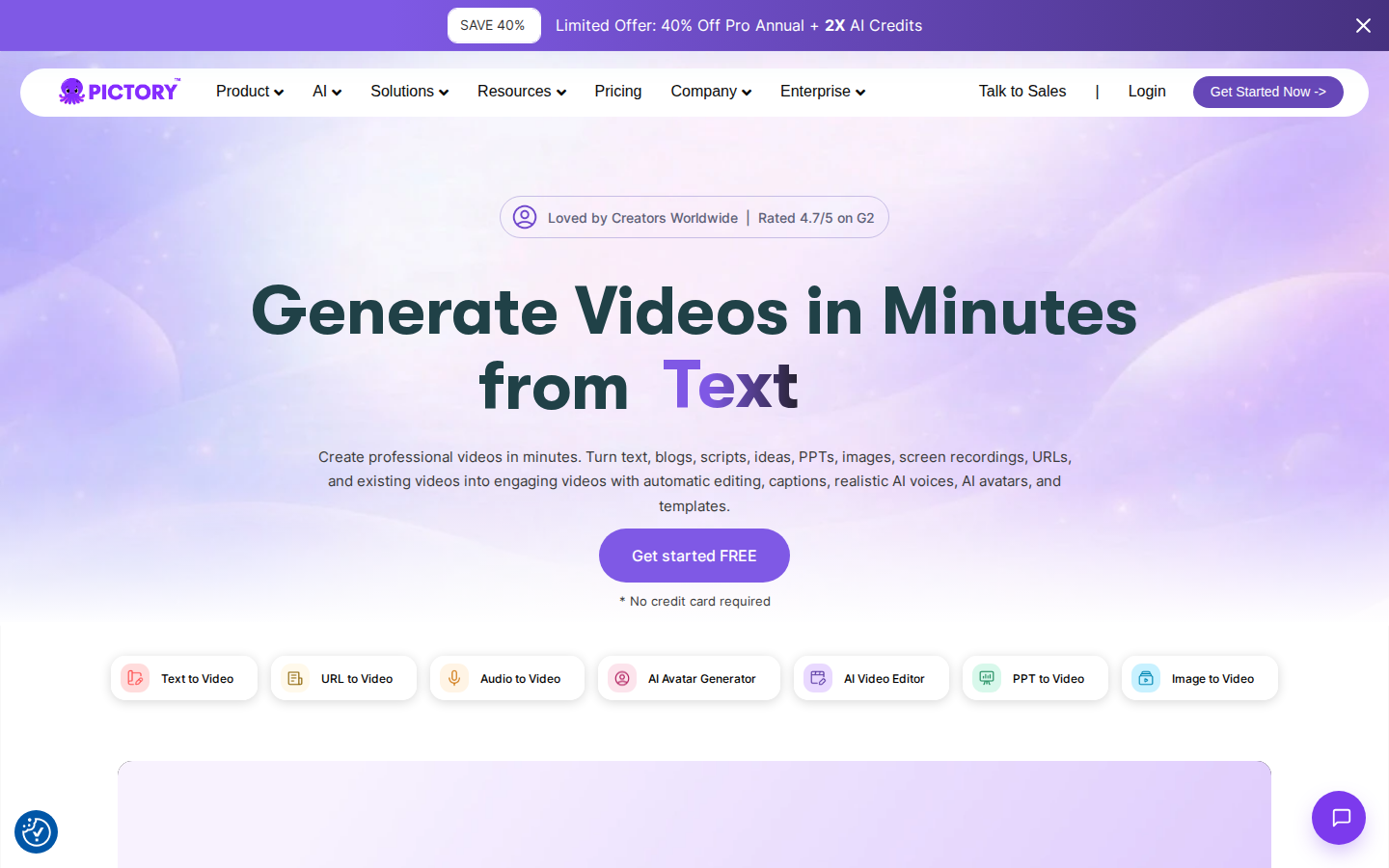
Pictory — best video generator AI for blog-to-video volume
Best for: content marketers, bloggers, course creators, and small teams repurposing existing text or recordings into captioned explainers and shorts.
Pictory is built around script/URL/recording-to-video: auto scenes, stock B-roll, voiceover, captions, and transcript-style editing. Sentiment leans positive on speed and low skill barrier—users often describe multi-hour edits compressed when they accept light polish. Brand kits and higher-plan voice options support volume marketing work.
Evidence gap: this review pass includes homepage and sentiment proofs but no Pictory pricing snapshot, so we do not state plan prices here. Confirm current minute/credit caps on Pictory’s pricing page before buying.
Main trade-off from users: billing/cancellation friction and non-refundable fees; monthly credits/minutes that reset with little rollover; generic or off-niche stock forcing manual swaps; samey “AI stock” look; render/save glitches; mixed support quality.
Who should buy: teams optimizing repurposing throughput, not cinematic originality. Download exports before any cancel test.
Not for: editors needing deep timeline control, avatar-first lip-sync workflows, or niche topics where stock matching fails badly.
InVideo — fast social drafts if you control credit burn
Best for: faceless YouTube/Shorts creators and solo marketers who want prompt-or-script-to-full short drafts (stock/AI visuals, VO, captions) and will polish in-timeline.
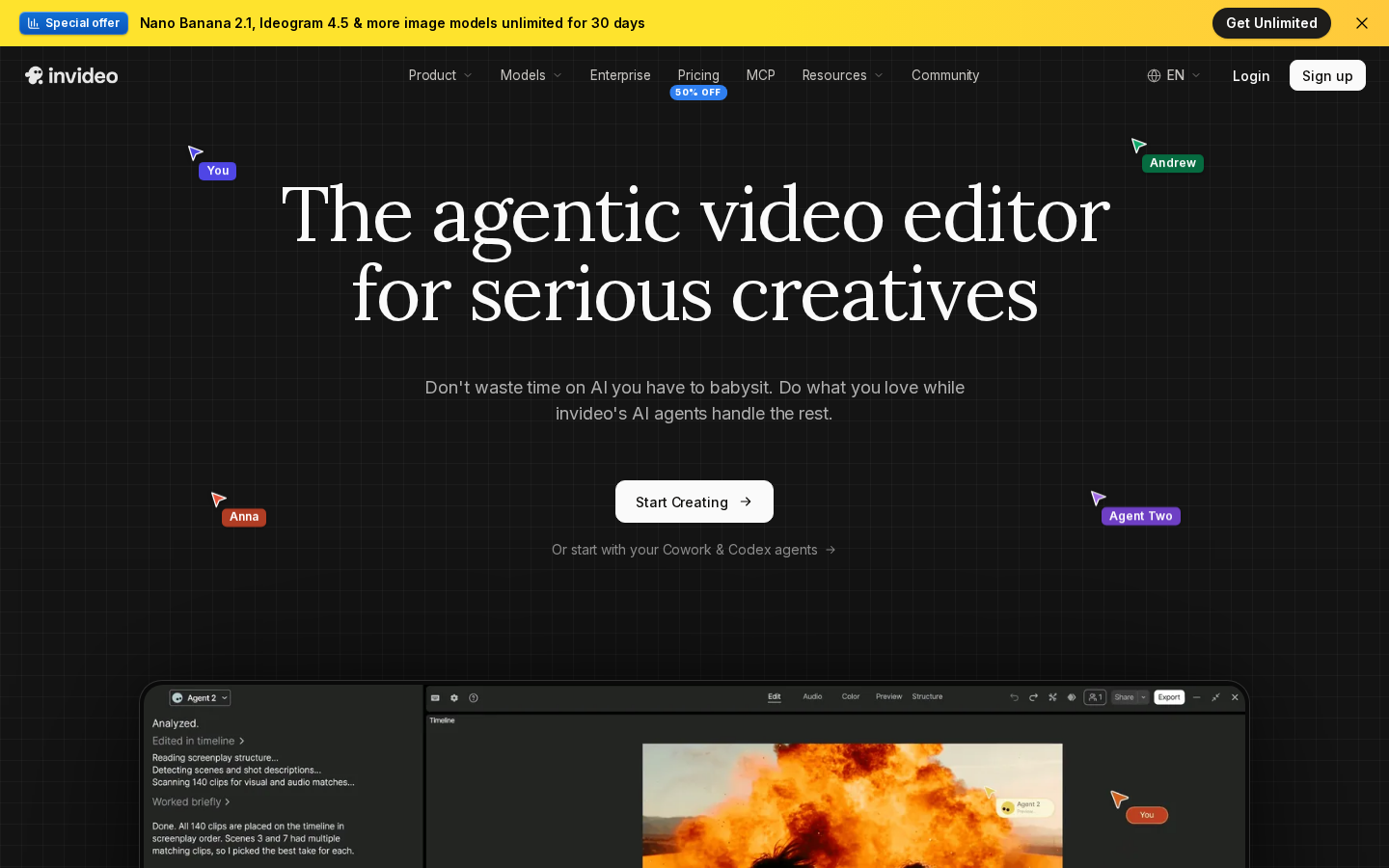
InVideo is an AI creation/editing SaaS. Praise centers on beginner path to usable social clips, templates, stock depth, and time savings when outputs are treated as first drafts—not finished films.
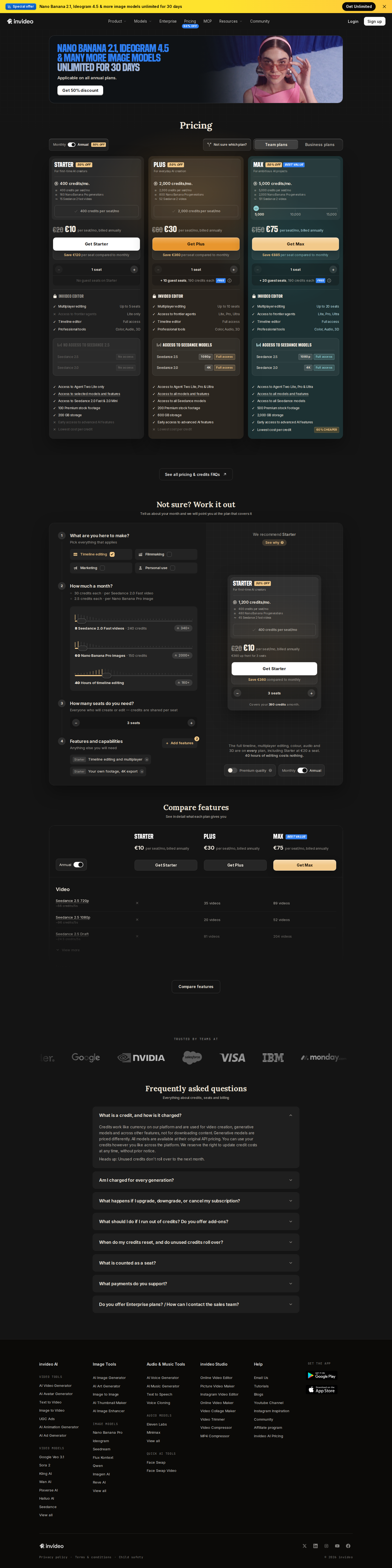
Pricing snapshot (EUR): no free plan captured. STARTER €20/mo (€10/mo annual) — 400 credits/mo, 1 seat. PLUS €60/mo (€30/mo annual) — 2000 credits, up to 10 seats, fuller model access notes. MAX €150/mo (€75/mo annual) — 5000 credits, more seats, lowest cost per credit. Notes: 50% off annual framing and a time-limited image-model promo on signup.
Main trade-off: credits evaporate on gens, regenerations, and agent chat—plans may yield only a few usable shorts; no rollover; tough annual cancel/refund stories; prompt ignore, repetitive stock, and generic output; billing support weaker than feature help.
Plan most readers need: annual Starter only after a careful credit pilot mindset; Plus if seats and higher credits are proven required.
Not for: agencies needing character-consistent cinematic client work or heavy-iteration prompt perfectionists.
Pika — playful short effects for social hobbyists
Best for: casual social creators who want fast stylized clips—Pikaffects-style animations, lip-sync bits, meme energy—more than photoreal long-form.
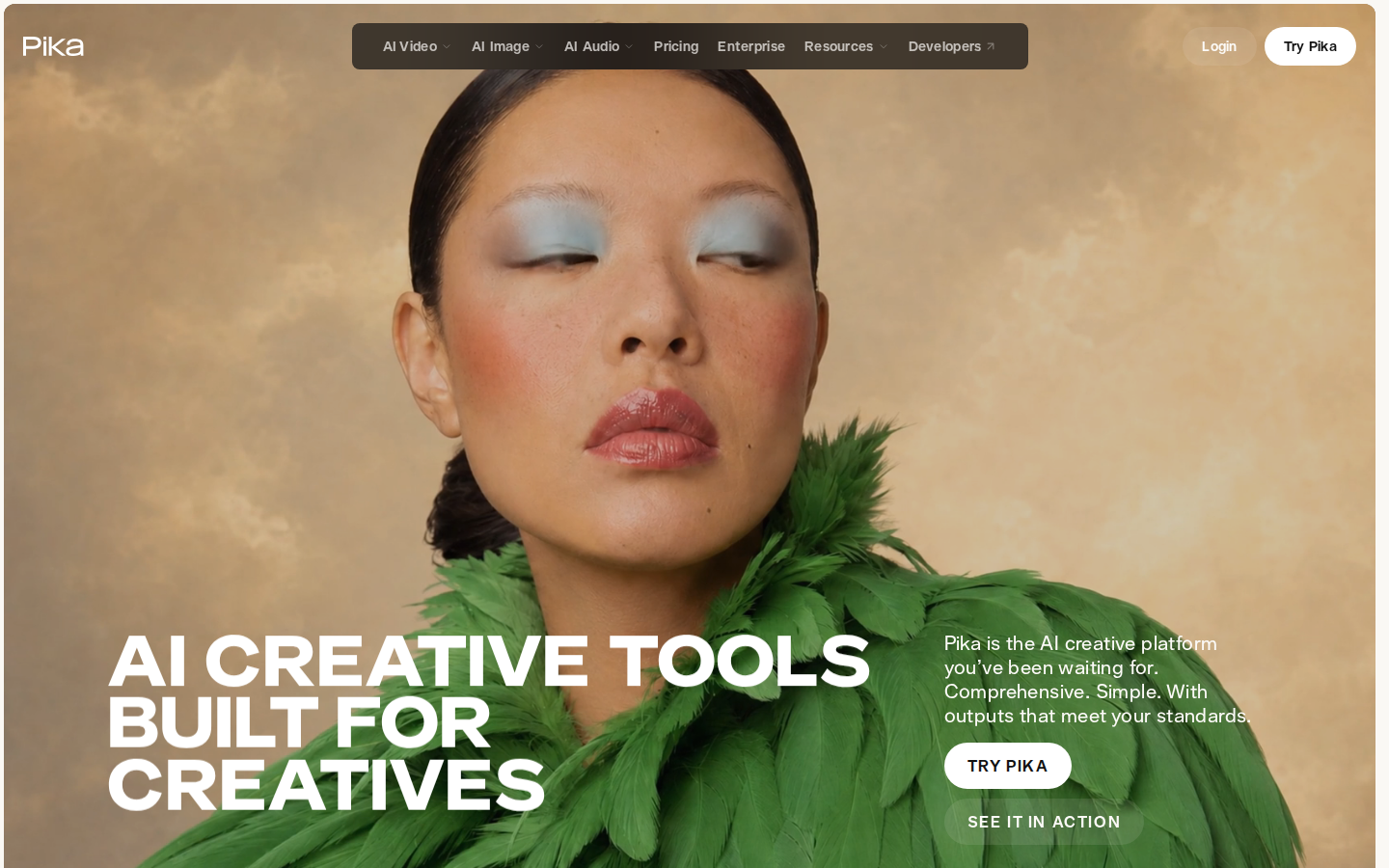
Pika is a generative creative toolset for video/image/audio. Users praise speed (often under a couple of minutes), approachable UI, and expressive short-form results versus heavier “serious film” suites.
Pricing snapshot: Free — 0 monthly credits (packs only), parallel gen limits, no commercial license, no priority queue. Starter $10/mo ($8/mo annual) — 900 credits. Creator $35/mo ($28/mo annual) — 3150 credits plus commercial license. Fancy $95/mo ($76/mo annual) — 8550 credits, unlimited parallel, priority queue (higher Fancy tiers scale up). Credit packs exist as top-ups.
Main trade-off: opaque fast burn; free tier without monthly credits; failures still cost; billing/cancel pain and weak support; inconsistent photorealism and short max practical length.
Plan most readers need: paid Starter only for light experiments; Creator when you need commercial rights and more parallel gens. Note: no affiliate program in our partner data—evaluate on product fit alone.
Not for: freelancers needing reliable multi-scene production or users who require responsive human billing support.
How to choose the best AI video generator for your job
Pick by output job and failure budget, not by homepage demos.
- If you need brand-safe training, onboarding, or multilingual presenter videos → start with Synthesia; consider HeyGen when personal/photo avatars matter more than enterprise LMS features.
- If you need realistic human motion in ~5–15s social/ad shots and can pay for retries → shortlist Kling AI, then Runway or Luma AI for craft controls and peak look.
- If your raw material is blogs, scripts, or webinars and you want captions + stock-led explainers → Pictory first; InVideo if you prefer full short-form “agent” drafts and can meter credits.
- If your budget is near zero → use free tiers on Synthesia, HeyGen, Runway, or Kling for learning only; Pika free is packs-only (0 monthly credits). InVideo and Luma showed no free plan in our snapshots.
- If predictable cost-per-published-video matters more than peak beauty → avoid treating any credit-based cinematic tool as unlimited; pilot one paid month, track usable clips, then lock annual only after that math works.
Pricing reality check: credits, minutes, and annual gaps
Sticker price is not what you pay per usable video.
- Credit economies dominate. Runway Standard’s 625 credits/mo, Pika Starter’s 900, Kling Standard’s 660, Luma Plus’s 10,000, HeyGen Creator’s 600, and InVideo Starter’s 400 are not comparable units—and failed jobs often still deduct.
- Annual looks cheaper and locks harder. Examples from snapshots: Runway Standard $15→$12, Pika Creator $35→$28, Kling Pro $37→~$32.56, Synthesia Starter €19→€12, InVideo Starter €20→€10. User reports across tools flag cancel/refund friction—especially annual.
- Free is real but narrow. Synthesia Basic (~10 min/mo watermarked), HeyGen (3×1 min watermarked), Runway (125 one-time credits), Kling Basic (0 monthly credits), Pika Free (0 monthly credits). Luma and InVideo: no free plan in our 2026-10-22 captures.
- Rollover is the exception. Kling complaints stress monthly expiry; InVideo notes no rollover; Runway Max lists limited rollover; many sentiment themes say unused value vanishes.
- Currency mixed on SERP competitors’ pages. Our Synthesia and InVideo figures are EUR; others USD. Convert before budget approval.
- Pictory: confirm live pricing yourself—this pass had no pricing snapshot.
Practical rule: fund a single month, log credits per publishable clip (including retries), then choose tier. Ignore “unlimited” marketing language when queues or soft caps appear in user reports.
What users complain about across AI video generators
Cross-product patterns from our sentiment proofs matter more than any single 1-star rant:
- Credit burn + failures still bill — Runway, Pika, HeyGen, InVideo, Luma, Kling users repeatedly describe retries, errored renders, and premium modes wiping monthly allotments without automatic refunds.
- Inconsistent quality — prompt ignore, morphing faces/limbs, weak character permanence, generic stock, or stiff avatars depending on tool family. Peak demos overstate median output.
- Billing and cancellation friction — hard cancels, auto-renew surprises, non-refundable annuals, chatbot-only support on money issues (Pika, InVideo, Pictory, Kling, HeyGen themes).
- Support asymmetry — feature questions sometimes answered; credit refunds, bans, and lockouts often slow or bot-like (Runway, Kling, Luma especially harsh in reports).
- Learning curve tax — defaults waste credits; “unlimited” or agent modes add queues and hidden consumption; beginners pay tuition in burned gens.
- Moderation and policy shocks — avatar platforms (notably Synthesia reports) can block legitimate niches; generative tools may censor unevenly.
If a vendor cannot show transparent credit math and a sane failure policy, treat the subscription as experimental OpEx—not production infrastructure.
Pros and cons
Synthesia
- Strong fit for L&D/HR presenter videos and templates
- Free Basic tier with monthly credits/minutes
- Multilingual translation/dubbing value for global teams
- Enterprise-oriented collaboration and compliance features praised
- Minute/credit caps and complexity on paid tiers
- Avatars can still feel stiff or uncanny on long emotional scripts
- Strict moderation can block legitimate topics
- Billing surprises and weak lower-tier support reports
HeyGen
- Fast script/photo-to-avatar workflow for non-editors
- Improving avatar realism for demos and training
- Broad language/lip-sync localization
- Free tier to sample short watermarked videos
- Opaque credit use and mid-stream plan change complaints
- Failed/hung renders still consuming credits
- Lip-sync and motion quality drop on longer clips
- Slow support on billing and refunds
Kling AI
- High ceiling on human motion and cinematic shorts when gens succeed
- Image-to-video fidelity praised on newer models
- Low entry Standard plan and free Basic testing path
- Useful for ads/B-roll prototypes in experienced hands
- Aggressive credit burn and monthly expiry
- High inconsistency—many retries for usable output
- Billing auto-renew and missing-credit reports
- Support widely described as unresponsive
Runway
- Strong creative controls for short cinematic and VFX-like work
- Multiple models plus timeline/masking style workflows
- Free tier to learn real credit costs
- No-watermark paid plans from Standard up
- Credits burn quickly including on failures
- Queues/limits under high-usage modes
- Output consistency and character permanence issues
- Account actions and support/refund friction in complaints
Luma AI
- Peak look on successful photoreal/cinematic shorts
- Useful controls (keyframes, extend/modify, references) per users
- Agents/boards help variant brainstorming
- Commercial use included on Plus
- No free plan in our snapshot
- Very fast opaque credit consumption
- Inconsistent artifacts on complex scenes
- Support and refund complaints even at higher spend
Pictory
- Fast text/URL/recording-to-video for non-editors
- Transcript-based editing and auto-captions
- Good volume repurposing for marketers and educators
- Brand kits help consistency across many clips
- Billing/cancellation friction themes
- Stock often generic or off-niche
- Credits/minutes reset; cleanup still required
- Reliability glitches on render/save in negative reports
InVideo
- End-to-end short social drafts from prompts/scripts
- Beginner-friendly templates and stock library
- Timeline refinement path for marketers
- Seat scaling on higher plans
- Credits burn on gens, retries, and agent use
- No free plan in our snapshot; no rollover
- Annual cancel/refund pain in user reports
- Inconsistent prompt adherence and generic output
Pika
- Fast stylized effects and playful short-form results
- Approachable UI for hobbyist social clips
- Clear commercial license starting at Creator
- Parallel generation headroom on higher plans
- Free tier has 0 monthly credits
- Credit opacity and billing/cancel complaints
- Weak photorealism/consistency for serious production
- Unresponsive support themes; no affiliate program listed
Questions people ask
What is the best AI video generator overall in 2026?
For most business professionals, Synthesia is the best AI video generator: presenter avatars, training-friendly workflows, translation, and a usable free Basic plan. If your job is cinematic short generation rather than corporate talking heads, start with Kling AI or Runway instead—and budget for credit burn and retries.
What is the best AI video generator free tier worth trying first?
Synthesia Basic (monthly credits/minutes with watermark), HeyGen’s three short watermarked videos, and Runway’s one-time free credits are the most useful starting points in our snapshots. Kling’s Basic plan is free but lists 0 monthly credits; Pika’s free tier also shows 0 monthly credits (packs only). InVideo and Luma showed no free plan on 2026-10-22.
Which is the best video AI generator for realistic human motion?
User sentiment most often points to Kling AI for motion realism and image-to-video fidelity when generations succeed, with Runway and Luma also praised for cinematic camera and physics on short clips. None are reliable “set and forget” engines—expect inconsistent outputs and credits spent on failures.
HeyGen vs Synthesia: which should I buy?
Choose Synthesia for structured L&D/HR pipelines, templates, and enterprise-style collaboration/localization. Choose HeyGen if personal or photo avatars, marketing demos, and flexible short explainers matter more. Both draw mixed complaints on credits, longer-clip lip-sync, and support—pilot with free tiers before annual billing.
Why do AI video tools feel more expensive than the sticker price?
Most meters are credits or minutes, not finished videos. Retries, premium avatars/models, agent chats, higher resolution, and failed jobs commonly still consume quota. Monthly allotments often expire with little rollover, so your real cost is credits per publishable clip after waste.
What is the best video generator AI for turning blogs into videos?
Pictory is the clearest fit in this set for script/URL repurposing with captions and stock-led scenes. InVideo is an alternative when you want fuller short-form drafts and can tightly manage credits. Neither replaces a craft generative tool for original cinematic footage.
Start with the tool that matches your job
If you ship training and explainers, try Synthesia’s free Basic plan and measure minutes per finished video. If you need motion-first shorts, run a one-month Kling or Runway pilot and track credits per usable clip before you go annual.
Open Synthesia free planOur evidence




Sources: Runway pricing, Pika pricing, Synthesia pricing, HeyGen pricing, InVideo pricing, Luma AI pricing, Kling AI membership plans, Pictory, Runway, Synthesia, HeyGen